> ## Documentation Index
> Fetch the complete documentation index at: https://docs.img-processing.com/llms.txt
> Use this file to discover all available pages before exploring further.
# Remove Image Background
> Remove the background of an image
One of the main functionalities of IMG Processing is the background removal feature, being one of the best on the whole internet,
in quality and price, being x50 cheaper than tools like RemoveBG, and getting awesome results.
In this guide, we'll see how to remove the background of an image using the API.
## Creating an Image
All the images in IMG Processing, must be created. To create an image you can upload one from your computer, by an url from an allowed origin, or create one from a prompt.
Let's create an image by uploading one from your computer. We'll use the curl command to do this since it's the more generic way to do it, but you can use any other tool you want.
First, download the image you want to remove the background from. Here we'll use a cat image.
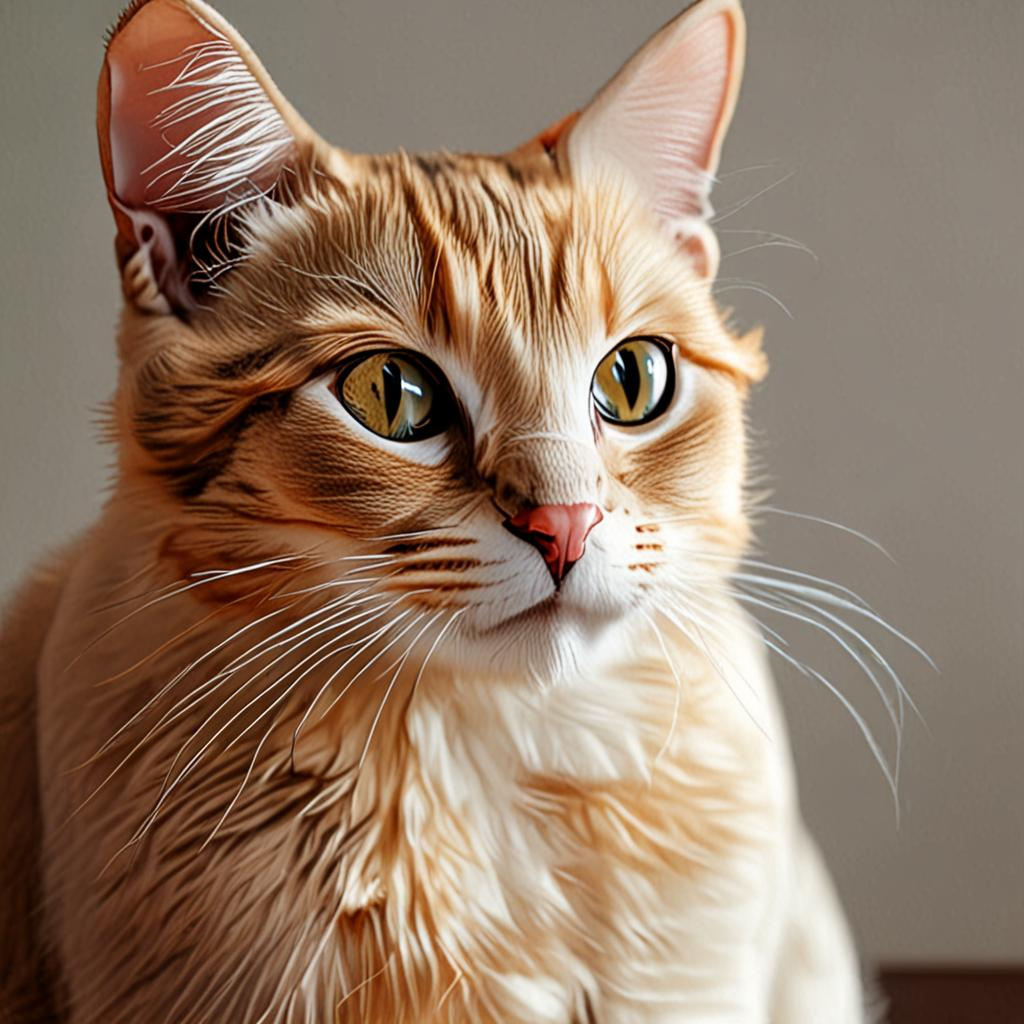 Then, copy your api key on the dashboard and replace it on the `x-api-key` field, and replace the `image` field with the path to the image you want to remove the background from.
```bash theme={null}
curl -X POST "https://api.img-processing.com/v1/images" \
-H "x-api-key: YOUR_API_KEY" \
-F "image=@cat2.png" \
-F "name=cat-image"
```
After doing it, just run send! This will return an image object in the response.
```json theme={null}
{
"id":"image_iv7d1rish0ymrmk7qwuht3ap",
"name":"cat-image",
"url":null,
"width":1024,
"height":1024,
"format":"png",
"size":1427326,
"created_at":"2025-04-01T16:15:44.212Z"
}
```
Now, we have the image created, and we can remove the background.
Upload an image to the API
## Removing the Background
To remove the background of an image, we need to send the image id to the `remove-background` endpoint.
Remove the background of an image
As parameters, we need to send the image id, we got from the previous step.
```bash theme={null}
curl -X POST "https://api.img-processing.com/v1/images/YOUR_IMAGE_ID/remove-background" \
-H "x-api-key: YOUR_API_KEY"
```
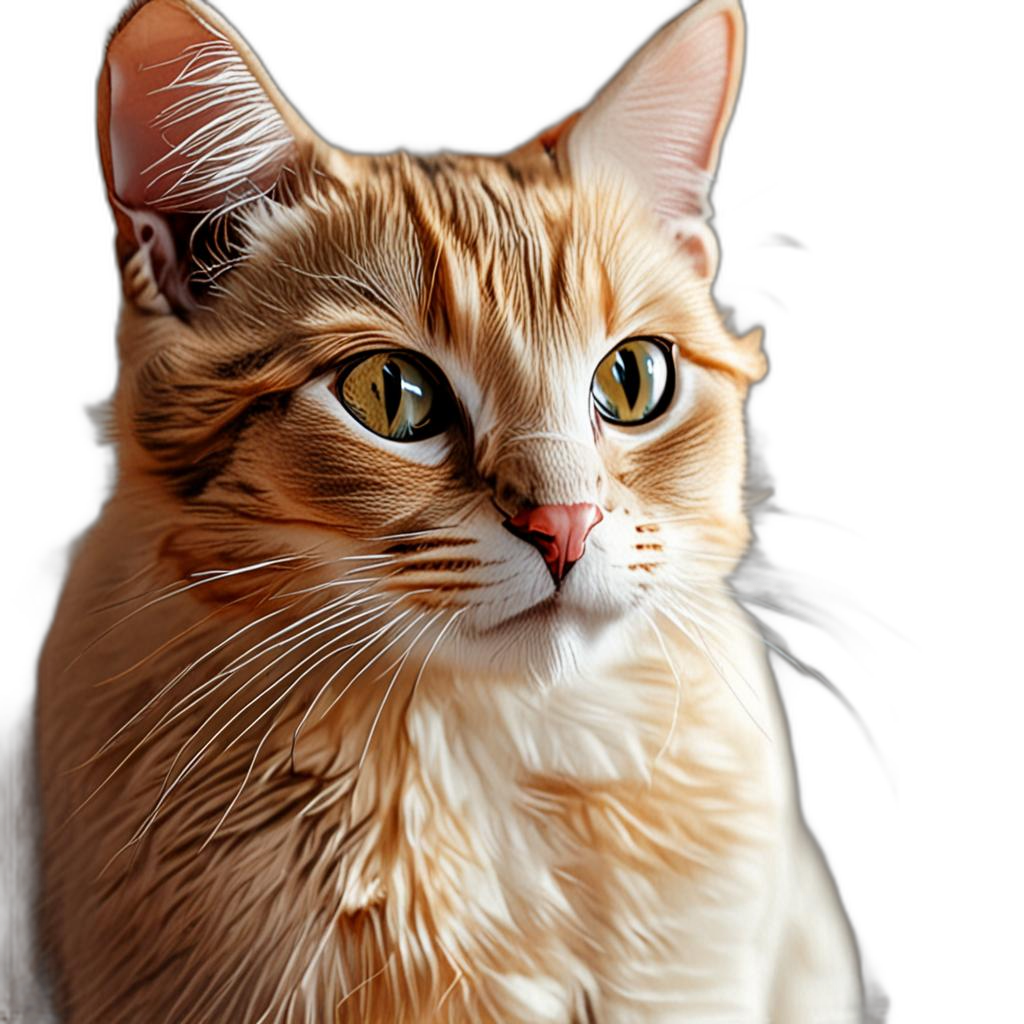
This will return a new image object with the background removed.
```json theme={null}
{
"id":"image_rvcisofzcswx2sw3tbjjmzi5",
"name":"cat-image",
"url":null,
"width":1024,
"height":1024,
"format":"png",
"size":1217323,
"created_at":"2025-04-01T16:21:49.596Z"
}
```
## Downloading the Image
Now, we have the image with the background removed, and we can download it using the `download` endpoint.
Download an image
As parameters, we need to send the image id, we got from the previous step.
```bash theme={null}
curl -X GET "https://api.img-processing.com/v1/images/YOUR_IMAGE_ID/download" \
-H "x-api-key: YOUR_API_KEY" \
-o "cat-image-removed-background.png"
```
This will download the image to your computer.
Then, copy your api key on the dashboard and replace it on the `x-api-key` field, and replace the `image` field with the path to the image you want to remove the background from.
```bash theme={null}
curl -X POST "https://api.img-processing.com/v1/images" \
-H "x-api-key: YOUR_API_KEY" \
-F "image=@cat2.png" \
-F "name=cat-image"
```
After doing it, just run send! This will return an image object in the response.
```json theme={null}
{
"id":"image_iv7d1rish0ymrmk7qwuht3ap",
"name":"cat-image",
"url":null,
"width":1024,
"height":1024,
"format":"png",
"size":1427326,
"created_at":"2025-04-01T16:15:44.212Z"
}
```
Now, we have the image created, and we can remove the background.
Upload an image to the API
## Removing the Background
To remove the background of an image, we need to send the image id to the `remove-background` endpoint.
Remove the background of an image
As parameters, we need to send the image id, we got from the previous step.
```bash theme={null}
curl -X POST "https://api.img-processing.com/v1/images/YOUR_IMAGE_ID/remove-background" \
-H "x-api-key: YOUR_API_KEY"
```
This will return a new image object with the background removed.
```json theme={null}
{
"id":"image_rvcisofzcswx2sw3tbjjmzi5",
"name":"cat-image",
"url":null,
"width":1024,
"height":1024,
"format":"png",
"size":1217323,
"created_at":"2025-04-01T16:21:49.596Z"
}
```
## Downloading the Image
Now, we have the image with the background removed, and we can download it using the `download` endpoint.
Download an image
As parameters, we need to send the image id, we got from the previous step.
```bash theme={null}
curl -X GET "https://api.img-processing.com/v1/images/YOUR_IMAGE_ID/download" \
-H "x-api-key: YOUR_API_KEY" \
-o "cat-image-removed-background.png"
```
This will download the image to your computer.
 ## Try it yourself
You can try this on the Postman collection.
Try it yourself on the Postman Collection
## Keep Learning
Now that you know how to remove the background of an image, you can learn how to do other things with the API.
## Try it yourself
You can try this on the Postman collection.
Try it yourself on the Postman Collection
## Keep Learning
Now that you know how to remove the background of an image, you can learn how to do other things with the API.